
For a large family, the most reliable approach is to pair a Hellcrustpizza family bundle with a session-based group-ordering tool that lets everyone pick their own toppings before a single order goes to the kitchen. That combination cuts the back-and-forth, keeps dietary flags visible, and means one person finalises rather than ten people texting at once.
- Faster consensus: A shareable voting link collects everyone's preferences in minutes, not a 40-message group chat.
- Payment made simple: One person pays through the app and the group reimburses via Interac e-Transfer, avoiding multiple card fees.
- Next step: Open the Hellcrustpizza app, pick a family bundle, then share a Pizza Voter session link so everyone locks in toppings before you hit checkout.
Both the Hellcrustpizza app and session tools like Pizza Voter work within Canadian delivery zones and support Canadian payment methods, so there is no workaround needed.
Table of Contents
- Why group-ordering tools reduce chaos for large families
- What features should you check before placing a large-family order?
- How to place a correct, split-paid order for a large family
- How many pizzas should you order for a large family?
- Restaurant app, aggregator, or session tool: which should you use?
- How Hellcrustpizza supports large-family orders
- Key takeaways
- The part most families skip (and why it matters)
- Hellcrustpizza makes your next family pizza night worth it
- Useful sources and tools for large-family pizza ordering
Why group-ordering tools reduce chaos for large families
Ordering pizza for eight or twelve people through a single group chat is a recipe for duplicate toppings, missed allergies, and someone inevitably saying "wait, I thought we were getting Hawaiian" right after you submit. Session-based tools solve this by giving each person their own moment to choose, rather than forcing everyone to shout into the same thread.

Pizza Voter works by generating a session code or shareable link. Each participant rates toppings as "love," "hate," or "don't mind," and the algorithm separates conflicting choices onto different pies so at least one pizza suits everyone at the table. Menu Party takes a slightly different approach: the organiser uploads the restaurant menu (by photo, copy-paste, or manual entry) and participants join by QR code or session link to pick individual items. The organiser then exports a clean order summary, which can be pasted directly into the restaurant app or handed to the kitchen. Menu Party is built for groups of 10–30 people, which covers most large family gatherings comfortably.
The direct benefits of running a session step first:
- Lower error rate: Each person's selection is recorded individually, so nothing gets lost in translation.
- Faster decisions: Limiting choices to a structured vote reduces menu paralysis significantly.
- Clearer dietary flags: Allergy notes attach to the individual item, not buried in a chat thread.
- Smoother payment collection: When the order is itemised per person, splitting costs is straightforward.
Pro Tip: Run the session tool first to lock toppings, then move to the restaurant app to capture family bundle pricing and schedule your delivery window. Doing it in that order means you never lose a deal because the session ran long.
What features should you check before placing a large-family order?
Not every pizza app handles group complexity equally. Before committing to a platform on a busy Friday night, scan for these features:
- Family bundle and deal visibility: — The app's offers tab should surface group deals before you build individual pies. Bundle offers for groups typically reduce the per-person cost compared to ordering multiple specialty pies separately.
Pro Tip: Before any large-order night, open the app and run through a saved address and reorder flow with a small test order. Discovering a saved card has expired or the wrong address is defaulted at 6:30 PM on a Saturday is avoidable with a two-minute check earlier in the day.
For a deeper look at what to confirm before you order, the family-sized pizza ordering checklist covers every step in detail.
How to place a correct, split-paid order for a large family
Follow this sequence and you will rarely need a second call to the kitchen.
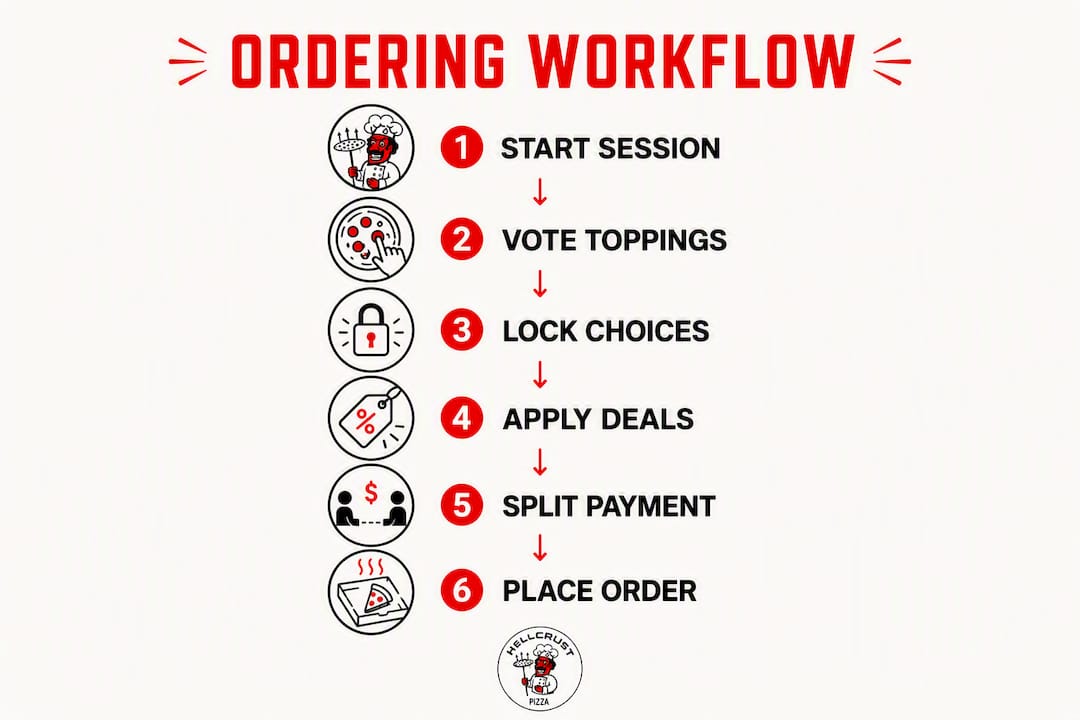
- Pick your platform and deal. Open the Hellcrustpizza app and check the family bundles or Mix & Match offers before building individual pies. Bundle pricing almost always beats à la carte for groups of four or more.
- Start a group session. Share a Pizza Voter link or a Menu Party session code with the family. Set a 30-minute deadline so the organiser can still catch app-only deals before they expire.
- Let individuals pick and flag allergies. Each person selects their items and adds any dietary notes. The session tool records these individually.
- Run a quick consensus. Review the session results. If two people hate the same topping, separate it onto its own pie rather than negotiating. Pizza Voter's algorithm does this automatically.
- Finalise sizes and deals in the restaurant app. Convert the session summary into the actual order. Check the offers tab one more time for any deal stacking.
- Choose payment method and schedule delivery. One payer completes checkout; others reimburse via Interac e-Transfer. If the gathering is a few hours away, schedule the delivery window now rather than ordering at peak dinner time.
- Confirm tracking and share the ETA. Screenshot the order confirmation and share it with the group so everyone knows when to gather.
Common pitfalls at each step:
- Step 2: Forgetting to set a deadline means the session drags and you miss the deal window.
- Step 3: Allergy notes added only in the session tool but not transferred to the restaurant app's notes field may not reach the kitchen.
- Step 5: Building pies individually without checking the bundle tab first often costs more than necessary.
- Step 6: Ordering at peak dinner hours without scheduling in advance can add 20–40 minutes to delivery time.
Pro Tip: Assign one person as the finaliser before the session starts. That person has the authority to make the last call on toppings and submit the order. A screenshot of the final order confirmation, shared to the group chat, closes the loop and prevents "I didn't order that" moments.
For more on managing picky eaters within this workflow, see how to order pizza to feed picky eaters.
How many pizzas should you order for a large family?
A pizza calculator uses party size, expected slices per person, and typical slice counts per size to give you a starting number. The standard rule of thumb: estimate 2–3 slices per child and 3–4 slices per average adult, then adjust from there.
Worked example for a family of 12:
- Count your eaters: 5 adults, 4 teenagers, 3 younger children.
- Apply the rule: 5 adults × 3.5 slices = 17.5 slices; 4 teens × 3.5 slices = 14 slices; 3 children × 2.5 slices = 7.5 slices. Total: roughly 39 slices.
- A large pizza typically yields 8 slices. Divide: 39 ÷ 8 = 4.9. Round up to 5 large pizzas.
- If you are serving sides (garlic bread, pasta, salad), subtract one pizza. Four large pies plus sides usually covers a family of 12 at a regular dinner.
Adjustments to make:
- Dietary restrictions: A gluten-free or vegan pizza often comes in a smaller size. Count its slices separately and add a compensating pie if needed.
- Sides reduce pizza need: Ordering pasta or a generous salad typically means one fewer large pizza for the group.
- Time of day matters: Late-night orders tend to run heavier; a lunchtime order with snacks on the table needs less. Adjust by half a pizza in either direction.
- Big eaters: Teenagers and active adults often land closer to 4–5 slices. If you know your crowd, bump the adult estimate up by one slice per person.
For guidance on pairing sides to balance the meal, best pizza sides worth ordering for family nights is worth a read before you finalise quantities.
Restaurant app, aggregator, or session tool: which should you use?
Each category serves a different moment in the ordering process. Knowing when to reach for which one saves time and money.
Quick decision guide:
- Choose a restaurant app (like Hellcrustpizza) when you want family bundle pricing, direct kitchen handling, app-exclusive deals, and scheduled delivery. The app owns the relationship with the kitchen, which means fewer handoff errors.
- Choose a session tool (Pizza Voter, Menu Party) when consensus on toppings is the bottleneck. These tools are not ordering platforms; they are preference-collection tools that feed into the restaurant app.
- Choose a third-party aggregator when you want to browse multiple local pizzerias in one place, accumulate loyalty points across restaurants, or order from an independent shop not on a branded app. Aggregators like Slice list local pizzerias with saved favourites, real-time tracking, and a rewards programme.
| Feature | Restaurant app | Third-party aggregator | Group session tool |
|---|---|---|---|
| Family bundle / group deals | Yes | Varies | No |
| Scheduled / future ordering | Yes | Sometimes | No |
| Direct kitchen communication | Yes | No (intermediary) | No |
| Multiple restaurant options | No | Yes | No |
| Topping voting / consensus | No | No | Yes |
| Per-item allergy notes | Yes (order notes) | Sometimes | Yes |
| Loyalty / rewards | Yes | Yes | No |
| Cost-splitting support | Partial | Partial | Yes (itemised view) |
The most effective workflow combines all three in sequence: session tool for consensus, restaurant app for deals and scheduling, Interac e-Transfer for reimbursement.
How Hellcrustpizza supports large-family orders
Hellcrustpizza is built around the reality that families want good food without the logistics headache. The app brings together the features that matter most for group orders in one place.
Key capabilities for large families:
- Family-sized specials and Mix & Match deals: Rather than pricing every pizza individually, Hellcrustpizza offers bundle structures that reduce the per-person cost for groups of four or more. Check the deals tab before building your order.
- Customisable toppings on every pie: The Biga multigrain, artificial additive-free dough is the foundation, and every pizza can be built with individual topping selections. Half-and-half configurations let two preferences share one pie, which is practical for families with strong opinions.
- Scheduled ordering: Place your order hours in advance and choose a delivery window that suits the gathering, rather than competing with peak-hour demand.
- Saved addresses and reorder shortcuts: For families who rotate between homes or order weekly, saved addresses and one-tap reorders cut checkout time considerably.
- App-exclusive offers: Deals available only through the Hellcrustpizza app reward repeat family orders and are worth checking before finalising any large group purchase.
- Vegan and gluten-free options: These are listed clearly in the menu, making it easier to flag dietary needs during the session step and confirm them in the order notes.
Pro Tip: Before your next family order, share a Pizza Voter session link with the group and set a reasonable deadline. Once the session closes, open the Hellcrustpizza app, match the voted toppings to a Mix & Match bundle, and add any dietary flags to the order notes. You will spend less time negotiating and more time eating.
For a full breakdown of bundle structures and how to get the most value from them, types of family pizza bundle deals is a useful companion read.
Key takeaways
The most reliable way to order pizza for a large family in Canada is to run a session-based voting step first, then finalise through the Hellcrustpizza app to capture family bundle pricing and scheduled delivery.
| Point | Details |
|---|---|
| Use a session tool first | Pizza Voter or Menu Party collects preferences before you open the restaurant app, cutting back-and-forth. |
| Assign one finaliser | One person converts the session results into the actual order and shares a confirmation screenshot with the group. |
| Calculate quantities carefully | Estimate 2–3 slices per child and 3–4 per adult, then subtract one pizza if you are ordering sides. |
| Schedule ahead of peak hours | Placing a future order avoids peak-dinner delays and locks in your delivery window. |
| Hellcrustpizza for family deals | The Hellcrustpizza app offers Mix & Match bundles, scheduled ordering, and app-exclusive deals suited to large family orders. |
The part most families skip (and why it matters)
There is a tendency to treat the pizza order as the last step of family night planning, something you figure out at 5:45 PM when everyone is already hungry. That timing is where most large-order mistakes happen: rushed topping decisions, missed dietary flags, and the organiser absorbing the full cost because there was no time to sort payments.
The session-tool workflow is not about technology for its own sake. It is about moving the decision-making to a calmer moment, earlier in the day, when people can actually think. A 30-minute Pizza Voter session at 3 PM produces a better order than a 15-message group chat at 6 PM. The algorithm separating conflicting toppings onto different pies is genuinely useful, but the bigger benefit is simply that everyone has already committed to their choice before the organiser opens the app.
What families often underestimate is how much the quality of the pizza itself shapes the experience once the logistics are sorted. Ordering from a kitchen that uses Biga multigrain dough without artificial additives means the pizza holds up better, tastes richer, and satisfies more thoroughly than a pie built on a shortcut crust. When you have gone to the effort of coordinating twelve people's preferences, the pizza should be worth it. That is where Hellcrustpizza's commitment to wholesome, crafted ingredients makes a real difference to the evening.
The practical routine that works: share the session link at noon, set a 30-minute deadline, assign a finaliser, check the bundle tab, schedule delivery for 6 PM, and collect reimbursements via Interac by end of night. Repeat weekly and it stops feeling like logistics at all.
Hellcrustpizza makes your next family pizza night worth it
Hellcrustpizza's family bundles and Mix & Match deals are crafted for exactly this situation: a large group, mixed preferences, and a desire for something genuinely good rather than just convenient. The app brings scheduled ordering, app-exclusive offers, and customisable toppings together in one place, so you can lock in your order hours before the gathering and spend the evening with your family rather than managing a chat thread.
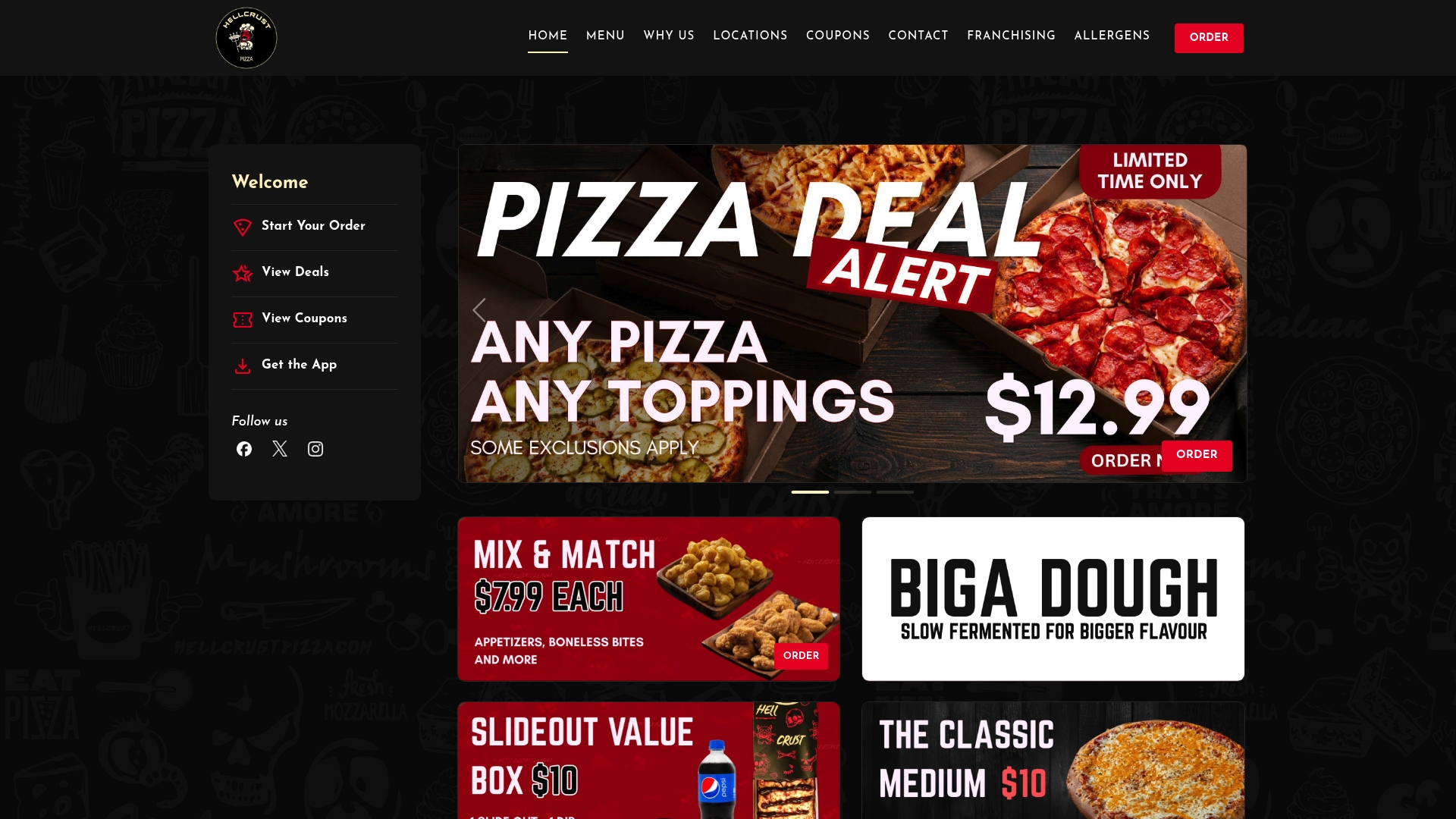
Open the Hellcrustpizza app today, browse the current family deals, and place your next large-family order with a scheduled delivery window and toppings everyone actually agreed on.
Useful sources and tools for large-family pizza ordering
- Slice (Google Play) — Aggregator for local and independent pizzerias; includes saved favourites, real-time tracking, and a rewards programme.
- Hellcrustpizza — Hellcrustpizza's ordering and brand page; family deals, Mix & Match options, scheduled ordering, and app-exclusive offers.
- Family-sized pizza ordering checklist — Step-by-step checklist for large-family orders, covering tech tools and logistics.
- Shareable pizza options: the complete group ordering guide — Covers shareable menu items, family bundles, and how to structure a group order.
- How to split pizza toppings for your family — Practical tactics for dividing toppings across pies without conflict.
- Types of family pizza bundle deals — Detailed breakdown of bundle structures and how to maximise value for large groups.
- Easy meal ideas for families: your weeknight guide — Partner resource for weeknight meal planning that pairs well with a regular pizza-night routine.