
Yes — you can order pizza in Canada and complete a fully no-contact delivery by pre-paying, leaving specific drop-off instructions, and using digital delivery tracking. No handshake, no cash, no awkward doorstep exchange. Platforms like Hellcrustpizza support this end-to-end, and digital wallets like Apple Pay or Google Pay make the transaction entirely touchless from the moment you tap "checkout."
Here is your quick action checklist to get started:
- Choose a delivery option that supports contactless drop-off (look for a "contactless delivery" checkbox or a delivery notes field in the app or website)
- Pre-pay and pre-tip during checkout using a credit card, debit card, or digital wallet — pre-paying eliminates any need for cash exchange or signing a receipt at the door
- Paste a short delivery note (see ready-to-use templates further below) specifying exactly where to leave the order
- Watch your order tracking and keep your phone nearby so you can acknowledge receipt through the app when the driver arrives
Common drop-off methods available across Canada:
- Leave at front door — most common for houses; driver places the bag and steps back
- Curbside — you meet at the curb or building entrance; no indoor access needed
- Lobby or front desk — for condos or buildings with staff who can accept on your behalf
Table of Contents
- How does contactless pizza delivery actually work?
- How do you place a fully no-contact pizza order, step by step?
- How do you pay and tip without touching cash or a POS device?
- What should you do to stay safe and handle problems?
- How does Hellcrustpizza support no-contact delivery?
- Key takeaways
- Hellcrustpizza contactless delivery: order in three steps
How does contactless pizza delivery actually work?
The mechanics are straightforward. You pay online before the driver ever leaves the restaurant, so there is nothing to exchange at the door. The driver places your order at the agreed drop-off point, sends a text or app notification (sometimes a photo), and leaves. You retrieve it on your own time, usually within a minute or two of the notification.
Most online ordering systems offer tracking and live updates on order status and accept a range of payment methods, which means you can monitor every stage of the delivery without picking up the phone.
Drop-off method comparison:
- Doorstep (front door): Best heat retention because the bag sits sheltered; works well for houses and ground-floor units. The main risk is visibility — if you are not watching tracking, the order can sit longer than ideal.
- Curbside: You come to the driver rather than the driver coming to you. Good for buildings where drivers cannot access the lobby. Slightly more exposure to weather, so retrieve promptly.
- Lobby or front desk: Ideal for high-rise condos with concierge staff. Heat retention depends on how quickly staff notify you, so mention it in your delivery note.
When you place an order, look for a dedicated "contactless delivery" checkbox or a free-text delivery instructions field. Hellcrustpizza's app and website both include a delivery notes field where you can specify your preferred drop-off method. Tracking notifications will tell you when the driver is nearby and when the order has been placed.
A brief caveat: contactless delivery may not be available in every situation. Gated communities that require a driver to be buzzed through, certain apartment buildings with restricted lobby access, or addresses that require indoor delivery may involve at least one brief interaction. In those cases, a quick wave from a distance is usually enough — no physical exchange is still possible.
How do you place a fully no-contact pizza order, step by step?
Follow these steps from menu to doorstep without touching anything you do not have to.
- Choose where to order. A pizzeria's direct website often has the fewest hidden fees, the most accurate delivery timing, and house-only specials that never appear on marketplace apps. Marketplace apps are useful for comparing ETAs and ratings across multiple restaurants. For a fully contactless experience, Hellcrustpizza's own app or website gives you the most control over delivery instructions.
- Select your items carefully. Double-check toppings, sizes, and any dietary requirements before adding to cart. If you are ordering for picky eaters or a group, confirm every detail now rather than calling the restaurant later.
- Confirm your address and phone number. A wrong unit number is the single most common reason for a failed contactless drop. Verify both fields before proceeding.
- Choose delivery (not pickup) and select the contactless or no-contact option if it appears as a checkbox.
- Write a short, precise delivery note. See the copy-paste templates in the section below. Keep it under three lines.
- Pre-pay and pre-tip at checkout. Use a credit card, debit card, Apple Pay, or Google Pay. Pre-tipping signals to the driver that a careful contactless placement is expected and appreciated.
- Keep your phone on and watch the tracking screen. When the driver is one or two stops away, move to your drop spot or be ready to retrieve from the door.
- Acknowledge receipt in the app once you have the order. If something is missing or wrong, contact the restaurant immediately while the driver is still nearby.
Pro Tip: Order 15–20 minutes before peak times — Friday evenings, rainy nights, and game days are when delivery timing matters most. A slightly earlier order gets more kitchen attention and a faster driver dispatch.
How do you pay and tip without touching cash or a POS device?
Pre-paying during online checkout is the cleanest way to keep the entire transaction touchless. Credit and debit cards, Apple Pay, Google Pay, and other digital wallets all work within most Canadian pizza apps and websites, including Hellcrustpizza's. Once you have paid online, the driver carries no payment terminal and you carry no cash — the transaction is complete before anyone leaves the restaurant.
In-app tipping works the same way. You set the tip amount at checkout, and it is processed with your payment. Pre-tipping eliminates any need for cash exchange and removes the only remaining reason for a physical interaction at the door.
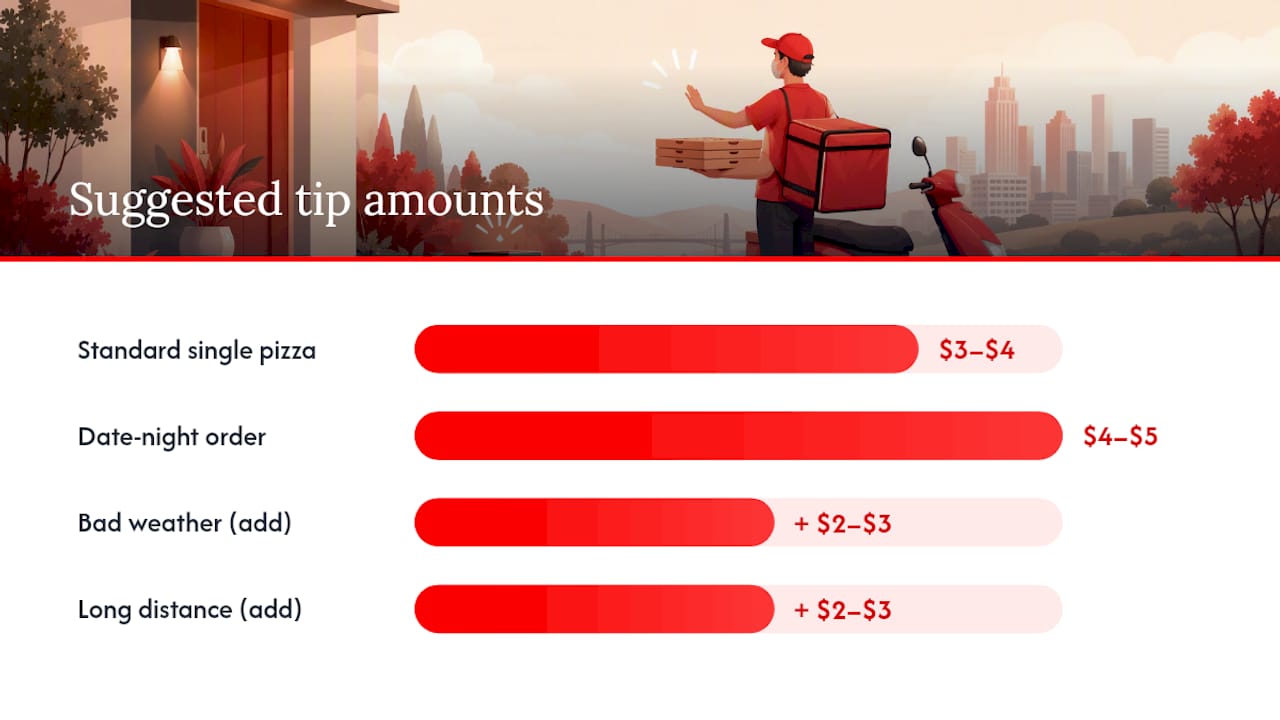
Suggested tipping guidance for Canadian orders:
| Scenario | Suggested tip | Notes |
|---|---|---|
| Standard single pizza, good weather | $3–$4 or 15% | Whichever is higher on a small order |
| Large family order or multiple items | 15% | Add more for a large or complicated order |
| Bad weather (rain, snow, ice) | Add $2–$3 on top of standard | Recognises extra effort and road risk |
| Long distance or difficult address | Add $2–$3 on top of standard | Compensates for extra travel time |
For a date-night order or a small intimate delivery, a flat $4–$5 tip on a modest order is a fair baseline. The key principle: tip before delivery, not after, so the driver knows a careful contactless placement is part of the deal.
Pro Tip: If you want to reward exceptional care, add a short line in your delivery note — "Thank you for the careful drop!" — and increase the tip in-app before placing the order. Attempting to hand cash at the door defeats the purpose of a touchless transaction.
What should you do to stay safe and handle problems?
Contactless delivery protects both you and the driver, but a few practical habits make it work reliably.
Customer safety and etiquette:
- Pick a well-lit, visible drop spot so the driver can place the order safely and you can retrieve it without searching
- Avoid asking the driver to enter a building they cannot access — if your lobby requires a fob or key, either meet them at the entrance or arrange a front-desk drop
- Retrieve your order promptly, especially in cold or wet Canadian weather, to protect both food quality and the driver's time
- Keep your instructions short and honest; do not ask for special arrangements that create unsafe parking or block a pathway
If your order is missing or wrong:
- Check the app tracking first — occasionally a driver marks an order delivered a minute or two before it physically arrives
- Call the restaurant directly and have your order confirmation number ready
- Save your order confirmation email or screenshot the app receipt before you call
- Ask for redelivery or a refund; most Canadian restaurants will offer one or the other when an item is genuinely lost in the delivery process
- If the restaurant is unresponsive, escalate through the platform's customer support — most apps have a dedicated "issue with my order" flow that triggers a review within a few hours
A Canada-specific note: delivery policies vary by restaurant, but the general expectation is that a lost or incorrect order warrants either a replacement delivery or a full or partial refund. Document everything before you call, and stay calm — most issues resolve on the first contact.
How does Hellcrustpizza support no-contact delivery?
Hellcrustpizza is built for exactly this kind of order. The app and website both support pre-payment, in-app tipping, a delivery notes field for contactless instructions, and real-time order tracking so you know the moment your pizza is placed at the door.
Hellcrustpizza features that enable a fully touchless experience:
- Pre-pay by credit card, debit card, or digital wallet at checkout
- Delivery notes field accepts the copy-paste templates above
- Real-time tracking with driver location updates
- App-exclusive deals and Mix & Match options apply to delivery orders, including contactless ones
- Vegan and gluten-free options available for dietary needs without requiring a phone call
How to order contactless from Hellcrustpizza:
- Open the Hellcrustpizza app or website
- Select your pizzas, pastas, or sides — customise toppings as needed
- Choose delivery and paste your preferred drop-off note into the delivery instructions field
- Pre-pay and pre-tip at checkout using your preferred digital payment method
- Watch the tracking screen and retrieve your order from the drop spot
Hellcrustpizza's Biga multigrain, artificial additive-free dough is crafted to hold its texture and flavour even during a brief doorstep wait — so a 60-second retrieval after the driver leaves does not compromise what you savour. For family-sized orders or group deliveries, the same contactless process applies, and the app's scheduling feature lets you time the drop to suit your household.
Key takeaways
A fully no-contact pizza delivery in Canada requires pre-payment, a short precise delivery note, and an active tracking screen — all of which Hellcrustpizza supports directly through its app and website.
| Point | Details |
|---|---|
| Pre-pay and pre-tip | Complete both at checkout to eliminate cash exchange and signal a careful contactless drop. |
| Write short delivery notes | Include unit number, buzzer code, and drop-spot — three lines maximum for clarity. |
| Choose the right drop-off method | Doorstep suits houses; curbside suits buildings; lobby suits condos with staff. |
| Keep your phone on | Watch tracking and retrieve the order promptly, especially in cold or wet weather. |
| Use Hellcrustpizza for contactless orders | Hellcrustpizza's app supports pre-pay, delivery notes, and real-time tracking for a fully touchless experience. |
Why contactless delivery matters more than most people realise
There is a tendency to treat contactless delivery as a pandemic-era habit that has outlived its purpose. We disagree, and not just for health reasons. The real value of a well-executed no-contact drop is consistency. When a driver does not need to wait for you, knock, or negotiate a handoff, the delivery is faster, the food arrives hotter, and the whole interaction is less stressful for everyone involved. Pre-tipping reinforces that dynamic: it tells the driver the job is already valued, which tends to produce more careful placement and a quicker departure.
What most guides miss is the instruction quality problem. A vague note like "leave at the door" fails in a building with three entrances, a shared hallway, or a lobby that requires access. The templates in this article are short precisely because brevity forces specificity. "Leave at the front door on the porch" is unambiguous. "Please leave somewhere convenient" is not. That gap between a good note and a vague one is where most contactless deliveries go wrong, and it costs nothing to close.
Hellcrustpizza contactless delivery: order in three steps
Fresh pizza crafted on Biga multigrain dough, delivered to your door without a single handshake — that is what Hellcrustpizza offers every time you order. The app handles pre-payment, delivery notes, and real-time tracking in one place, so the entire experience stays touchless from checkout to doorstep.
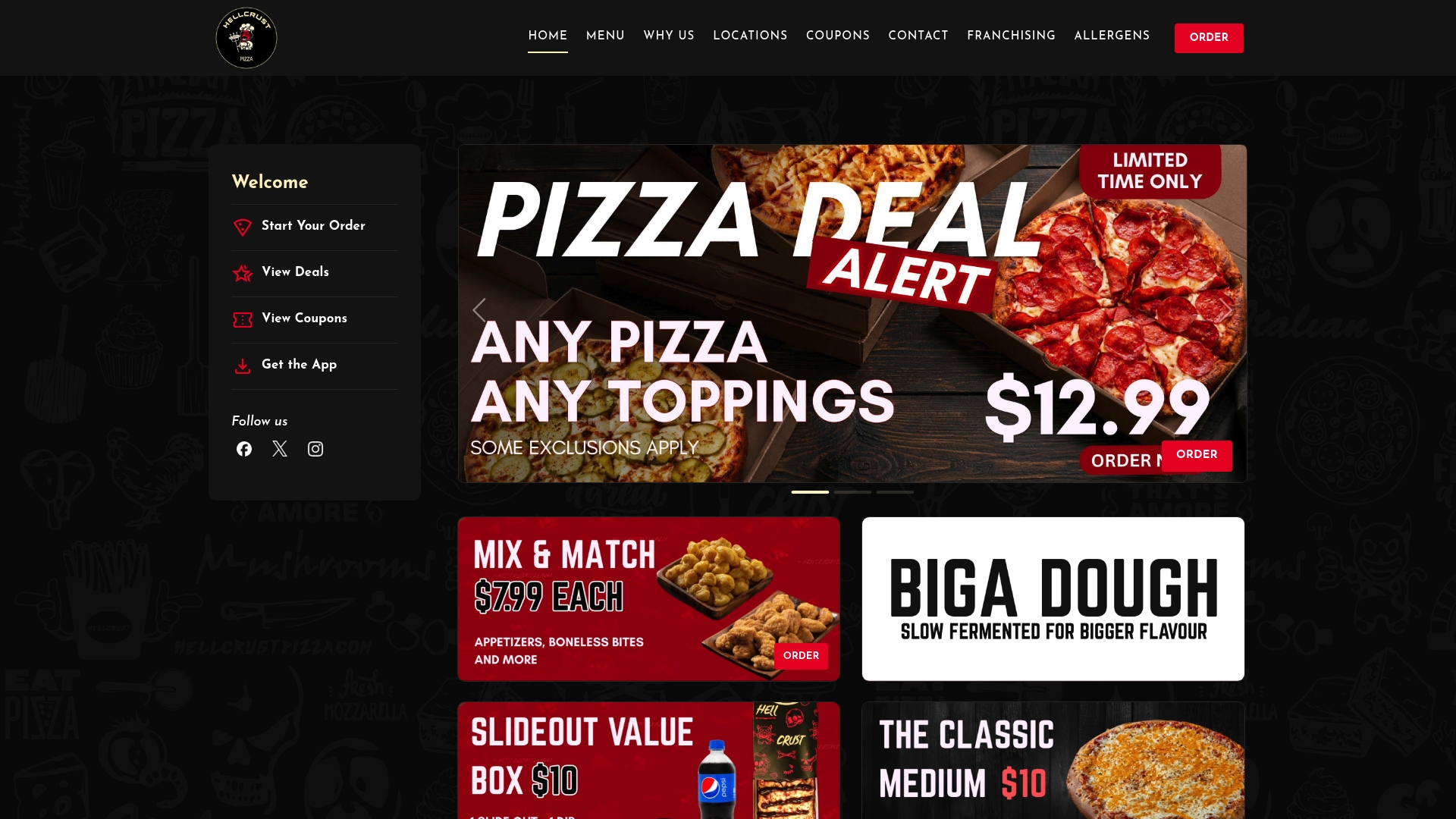
App-exclusive deals, Mix & Match options, and family specials all apply to contactless delivery orders, so you are not trading convenience for value. Whether you are ordering a single pizza on a quiet Tuesday or a group order for the whole household, the process is the same: open the app, set your drop-off instructions, and pre-pay. Hellcrustpizza sends you live tracking updates and a delivery confirmation so you know exactly when to head to the door.
Visit hellcrustpizza.com to place your first contactless order and see today's app-exclusive deals.
Useful sources and further reading
- Order Pizza Online Without Regret: Checklist (wikihow)
- Order pizza online without regret: a step-by-step checklist (pizzerias.biz)
- The ultimate guide to ordering pizza online: tips, tricks, and everything you need to know (mealmastermind)
- Should you tip your delivery driver? (Westside Pizza blog)
- Store delivery expert position available in Santa Fe, TX (news-usa.today)
- Flexible pizza delivery jobs in Boston, MA (Uber)