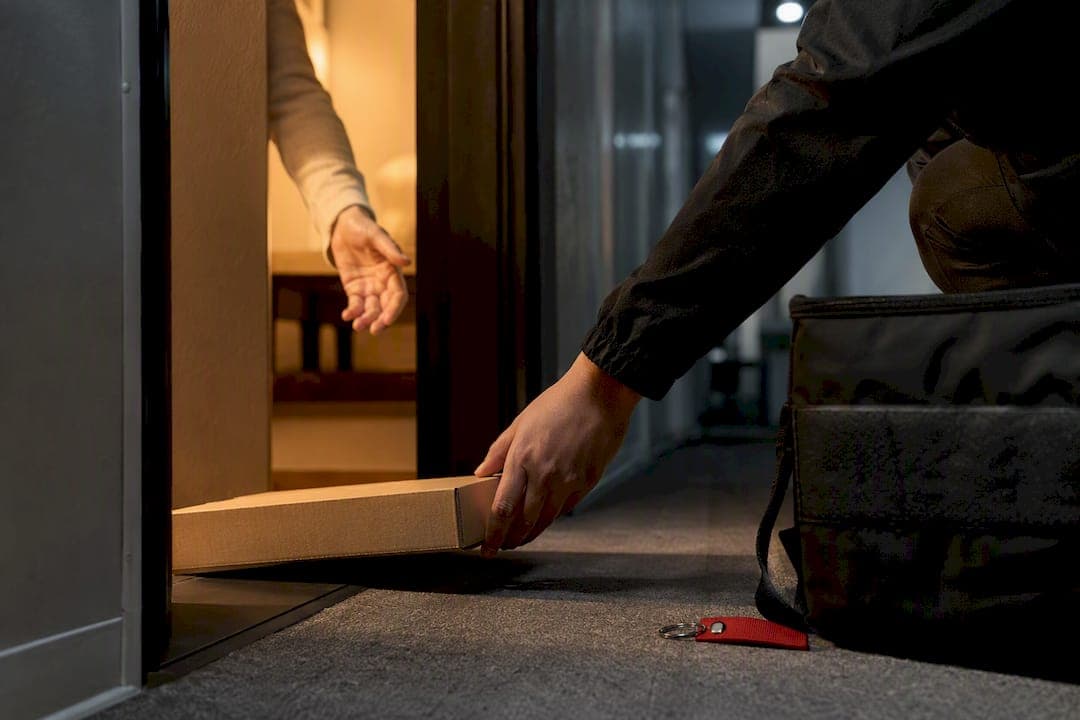
Yes, most pizza shops and delivery platforms let you schedule a delivery for a future date and time. You pick your items, head to checkout, look for a "schedule" or "deliver later" option, choose your date and time window, then confirm and pay. Expect a minimum lead time (often an hour or more), sometimes a small fee, and remember the store still controls the exact window your pizza actually arrives.
TL;DR:
- Most delivery platforms require at least one hour or more lead time for scheduled pizza orders, with some capping advance booking within a few days.
- Accurate timing depends on kitchen throughput and driver availability, which can cause some orders to arrive slightly early or late despite precise scheduling.
- For group events, schedule delivery 5 to 10 minutes before the actual eating time, and consider staggering multiple deliveries if guests arrive in waves.
- Cancelling or rescheduling is generally possible up to two hours before the delivery window, and real-time updates help identify delays or issues.
- Proper advance planning of dietary restrictions, portioning, and timing maximizes the effectiveness of scheduled pizza delivery for events.
Table of Contents
- How to schedule pizza delivery from an app or website
- What happens after you schedule your order
- Best practices for scheduling pizza for parties and group orders
- What to do if your scheduled order runs into trouble
- How Hellcrustpizza handles your scheduled order
- What planning ahead actually gets you right
- Ready to schedule your next pizza with Hellcrustpizza
- Sources
How to schedule pizza delivery from an app or website
Every platform words it slightly differently, but the mechanics rarely change once you know where to look. You are hunting for one specific button, usually buried where most people never glance.
1. Find the schedule toggle before you check out. Look for phrasing like "Schedule," "Deliver Later," "Order Ahead," or "Future Order" near the delivery time field. On most apps, this sits right next to a default "ASAP" setting, and you simply tap to switch it.
2. Decide between an exact time and a delivery window. Some platforms let you pick a specific minute (say, 6:15 PM); others only offer a range, like 6:00 to 6:30 PM. If you're timing dinner around a soccer practice pickup or a work call, build in a 15 to 20 minute buffer on either side of your ideal moment. Pizza doesn't hold its texture forever, but a short buffer beats a driver knocking mid Zoom call.
3. Check the lead time and the advance window. Most services need at least an hour or more notice for same day scheduling, and many cap advance orders within a few days. DoorDash's help centre confirms customers can select "Scheduled" at checkout and choose a date and time before placing the order, which reflects how most major platforms structure the feature. If you're planning something further out, like a birthday party three weeks away, call the store directly. Apps generally are not built for that kind of lead time.
4. Confirm how payment and tipping work. Most platforms authorize your card at the time you place the order, even though the charge may not settle until closer to delivery. Tips are usually locked in at checkout too, though some apps let you adjust the tip after delivery if the driver went above and beyond (or fell short).
5. Save your confirmation and note where to track it. You'll get an email or push notification with your order number, scheduled window, and a link to live tracking. Screenshot it or star the email. If something goes sideways later, that confirmation is your paper trail.
A few habits will save you a headache:
- Double check the delivery address autofilled correctly, especially if you're ordering to an office or a friend's place for the first time.
- Note the exact cutoff time for cancelling or changing the order, since it's usually shorter than people assume.
- Add delivery instructions (gate code, buzzer number, "leave at door") while you're scheduling, not the day of, because last minute edits don't always sync in time.
- If the app offers an "arrive by" versus "start delivery by" distinction, pick "arrive by" whenever it's available. It's the more honest promise.
Pro Tip: Schedule 10 to 15 minutes earlier than you think you need. Kitchens run behind during dinner rushes, and a slightly early pizza is a much smaller problem than a late one.
Some retailers outside the traditional pizzeria model have jumped into this space too. Sam's Club now offers scheduled pizza delivery alongside express options, with delivery fees and lead times that vary by location and order size, a reminder that "schedule pizza delivery" isn't just a pizzeria feature anymore. It's become a standard expectation across food delivery generally.
What happens after you schedule your order
Scheduling a pizza isn't like setting a calendar reminder. Behind that confirmation screen, your order enters a small logistics puzzle that determines whether it shows up exactly on time, five minutes early, or twenty minutes late.
From capture to the make-line. When you submit a scheduled order, the system holds your ticket until it's time to fire it into production. Kitchens work backward from your requested time, factoring in oven throughput, how many other scheduled orders land in that same window, and current staffing. A well-run kitchen doesn't start your pizza the moment you hit "confirm." It starts it precisely early enough that it's hot and ready when the driver arrives, not sitting under a heat lamp for twenty minutes.
Dispatch and routing add another layer. Even a perfectly timed pizza can sit waiting if no driver is free. Reporting on Domino's delivery orchestration engine describes how integrated ordering and dispatch systems synchronize the make-line with driver availability, which is exactly why some scheduled orders get held a few minutes past their window during peak dinner rushes or bad weather. The kitchen might be ready, but if every driver is mid-route on a multi-stop run, your pizza waits for the next available car.
Here's what typically controls the timing on the dispatch side:
- Driver supply relative to order volume during that specific hour
- Whether your delivery gets bundled into a multi-stop route or sent solo
- Distance and traffic conditions between the store and your address
- Priority flags on express or rush orders, which can bump ahead of standard scheduled slots
One thing worth knowing: not every operator runs this kind of orchestration. Delivery predictability depends heavily on driver supply, routing logic, and kitchen throughput, and analysis of pizzeria delivery logistics notes that many operators blend in-house drivers with third-party platforms to stretch their capacity during busy stretches. That hybrid model can mean more flexible capacity, but it can also mean less predictable timing than a store running its own dedicated fleet.
What you should expect to see. A responsible platform sends at least three touchpoints: order confirmation, a "your order is being prepared" update near your scheduled time, and an "out for delivery" alert with live tracking. If you don't get that middle update within ten minutes of your scheduled window, that's usually your first sign something's running behind.
Best practices for scheduling pizza for parties and group orders
Scheduling for a crowd is a different game than scheduling for yourself. The stakes are higher, the math is trickier, and a five minute miscalculation can mean twelve hungry people staring at empty boxes.
1. Schedule for eat-time, not arrival time. Catering guidance recommends scheduling delivery for 5 to 10 minutes before people will actually start eating, not the moment the party officially starts. Guests trickle in, drinks get poured, someone's still setting up chairs. Build that slack into your scheduled time rather than assuming everyone's seated and ready the second the doorbell rings.
2. Do the slice math before you order. A standard large pizza cuts into eight slices. Plan on about three slices per adult for a casual gathering, adjusting amounts if pizza is the only food or appetites vary. For a group, order enough pizzas to ensure everyone is satisfied, considering these factors. Our pizza size guide breaks this down further if your group has a wider mix of appetites.
3. Account for dietary restrictions early, not at delivery. If someone in the group needs vegan or gluten-free options, order those pizzas separately and label the boxes before they leave the kitchen, not after they arrive at your door in a stack of identical boxes.
4. Call the store directly for large orders above typical app limits, so the staff can plan oven capacity and staffing accordingly. Apps are built for standard order volumes. Once you cross into serious group territory, business-order guidance consistently points to calling the store so staff can plan oven capacity and staffing around your order, rather than discovering the kitchen wasn't braced for it.
A few setup details matter more than people expect:
- Ask the driver (or your host) to prop pizza box lids open slightly on arrival, which keeps steam from turning your crust soggy.
- If people are arriving in waves, stagger two smaller scheduled deliveries instead of one giant one, so the second batch doesn't go cold waiting on stragglers.
- Confirm your headcount 24 hours ahead if plans are still shifting, since a last minute jump from fifteen to twenty five guests is much easier to fix the day before than the hour of.
Our family-sized pizza ordering checklist walks through this in more detail if you're planning something recurring, like a monthly family gathering.
What to do if your scheduled order runs into trouble
Even a well-planned schedule can hit a snag. Knowing the fix ahead of time turns a stressful moment into a two-minute phone call.
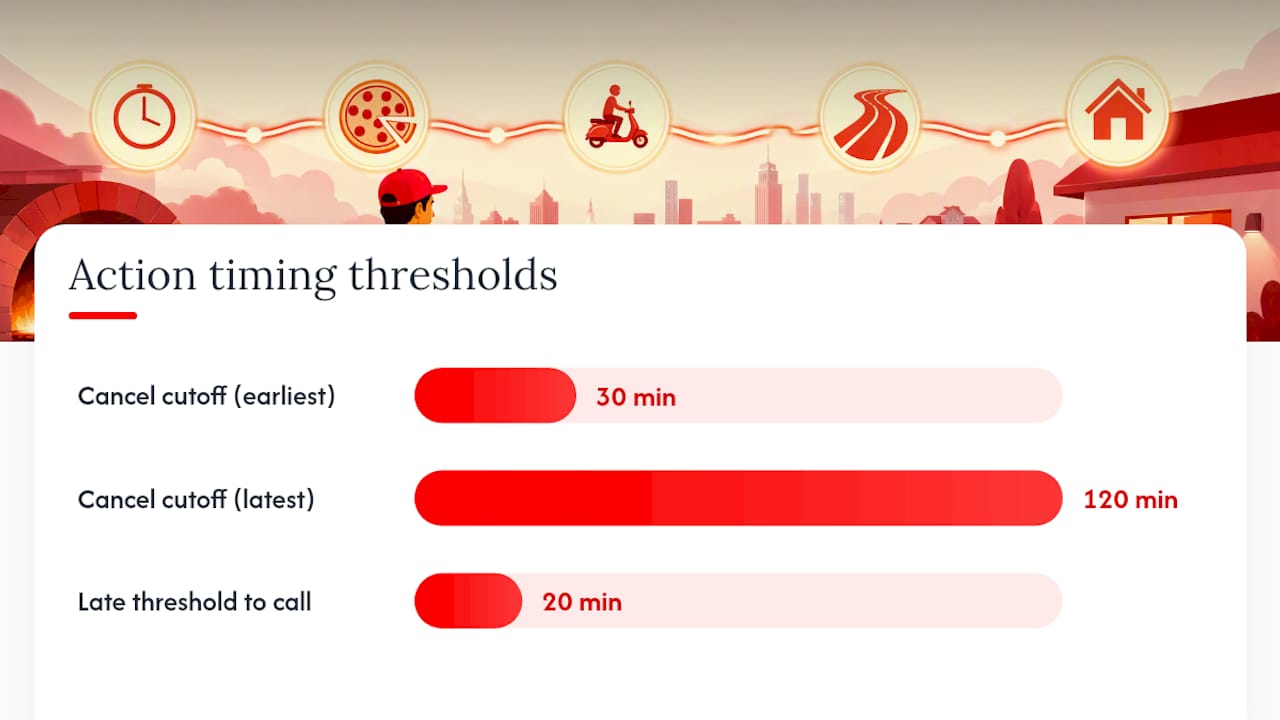
Cancelling or rescheduling. Most platforms let you cancel or change a scheduled order up until somewhere between 30 minutes and two hours before the delivery window, depending on the provider. Check this cutoff the moment you place your order, not when you actually need it, because by then it may already be too late to make changes in-app.
If your pizza runs late or shows up early:
- Check your tracking link first. It usually shows whether the delay is on the kitchen side or the driver's route.
- If it's more than 20 minutes past your scheduled window with no update, contact support through the app before calling the store directly.
- Note your order number and the time stamps on your confirmation and tracking screens. You'll need both if you request a refund or credit.
- If items arrived wrong, cold, or damaged, snap a photo immediately. Most support teams move faster with visual proof than a description alone.
The escalation path that actually works: start with in-app chat support, since it's typically fastest for straightforward fixes like a missing side or a late delivery. If that stalls, call the store directly, they can see your order in real time and often resolve it on the spot. Only go to a general contact page as a last resort.
Pro Tip: Keep your order confirmation email open in a separate tab while you wait. If you do need to escalate, having your order number ready cuts the resolution time roughly in half.
How Hellcrustpizza handles your scheduled order
Scheduling with Hellcrustpizza follows the same logic you'd expect from the steps above, built around a few details specific to how we operate.
Open the app, build your order, and you'll see the scheduling option sit right alongside "Deliver Now" at checkout. Pick your date, choose a time window, and you'll get an immediate confirmation with your order number and estimated arrival, the same confirmation you'll want saved for tracking or troubleshooting later.
What matters most for a scheduled pizza is freshness at the moment it lands on your table, not the moment it left the oven. Our Biga multigrain dough goes through a longer, slower fermentation than a same-day mix, which means the crust holds its structure and flavour even after a short ride in a delivery bag, unlike thinner, fast-proofed dough that can go limp within minutes. We time our make-line to your scheduled window rather than firing pizzas early and holding them, because a pizza made too far ahead of delivery is never as good as one made to arrive right on cue.
For readers planning something recurring, our meal planning with pizza delivery guide and our family-sized ordering checklist both walk through scheduling patterns that work for busy weeks, not just one-off events.
| What matters | Why it matters for scheduling |
|---|---|
| Dough fermentation time | Longer fermentation holds texture better over a delivery window |
| Make-line timing | Pizzas made close to your scheduled slot arrive hotter, fresher |
| App confirmation | Gives you an order number and tracking link to reference if issues arise |
| Advance planning resources | Blog guides help you nail portioning and timing before you order |
What planning ahead actually gets you right
The biggest myth about scheduling pizza delivery is that it removes all the guesswork. It doesn't. What it does is shift the guesswork from "will my food arrive" to "when exactly will it arrive," which is a much smaller problem to solve.
My honest advice: pick a scheduled time, then build in a ten minute cushion and stop checking the tracker every ninety seconds. Confirm your headcount and any dietary needs the day before, not the morning of, because that's when kitchens actually plan their prep. Scheduling works best when you treat it as a strong estimate backed by real kitchen logistics, not a guarantee stamped in stone.
If you're planning something with more moving parts, like a family gathering or an office lunch, lean on resources like our best pizza apps for large families guide before you commit to a time slot.
— jaskirat Singh
Ready to schedule your next pizza with Hellcrustpizza
Hellcrustpizza gives you a faster path to a reliably fresh, on-time pizza than juggling multiple delivery apps with inconsistent dough quality and unpredictable make times. Our Biga multigrain, additive-free dough is built to hold its texture through a scheduled delivery window, and our app's scheduling option means you set the time once and get a confirmed window back, no guessing required.
Before you open the app, have three things ready: your delivery address, your preferred time window, and a rough headcount if you're feeding more than yourself. That's enough to get a confirmed scheduled order in under two minutes. If you're planning for a group, check our group pizza order guide first so your slice math is solid before you check out, and if dietary needs are part of the mix, our Mix & Match options cover picky eaters and restricted diets without extra hassle. For plant-based guests specifically, Wild Foodz's roundup of plant-based delivery menu ideas is a useful companion resource while you plan.
Head to HellCrust Pizza now, pick your time, and let the scheduling do the rest.
Sources
- Can I schedule a delivery in advance? | Customer Support | DoorDash Help Center
- There’s a New Contender in the World of Pizza Delivery, and It’s Sam’s Club
- Domino's rewires delivery orchestration engine
- Domino's Catering Guide: Slice math, crust rules & how to order for the office - Zerocater